
Introduction
If your business depends on appointments, managing bookings through phone calls, WhatsApp messages, emails, or spreadsheets can quickly become difficult.
A customer may want to book an appointment outside business hours. Another customer may ask about available staff. Someone else may forget an appointment altogether. As your business grows, manually managing all of this can take a significant amount of time.
This is where a WordPress appointment booking plugin can help.
Finding the best WordPress booking plugin for your business can make appointment scheduling much easier. Instead of managing bookings through phone calls, WhatsApp messages, emails, or spreadsheets, a WordPress booking plugin can allow customers to check availability, select a service, choose a time, and book appointments directly from your website.
One solution worth considering in 2026 is BookingPress.
BookingPress is an all-in-one WordPress appointment booking and scheduling plugin designed for service-based businesses. According to its official website, it is used by more than 100,000 businesses and supports features including online scheduling, staff management, payments, calendar synchronization, reminders, multiple locations, recurring appointments, reporting, and integrations.
But is BookingPress actually the right booking plugin for your WordPress website?
Let’s take a closer look.
What Is BookingPress?
BookingPress is a WordPress booking plugin that allows businesses to add an online appointment scheduling system to their existing WordPress website.
Instead of sending customers to a separate booking platform, you can manage appointments from your WordPress website.
A typical booking flow can allow a customer to:
- Choose a service.
- Select a staff member.
- Select a date.
- Choose an available time.
- Enter their information.
- Pay online or select an available payment option.
- Receive a confirmation and reminders.
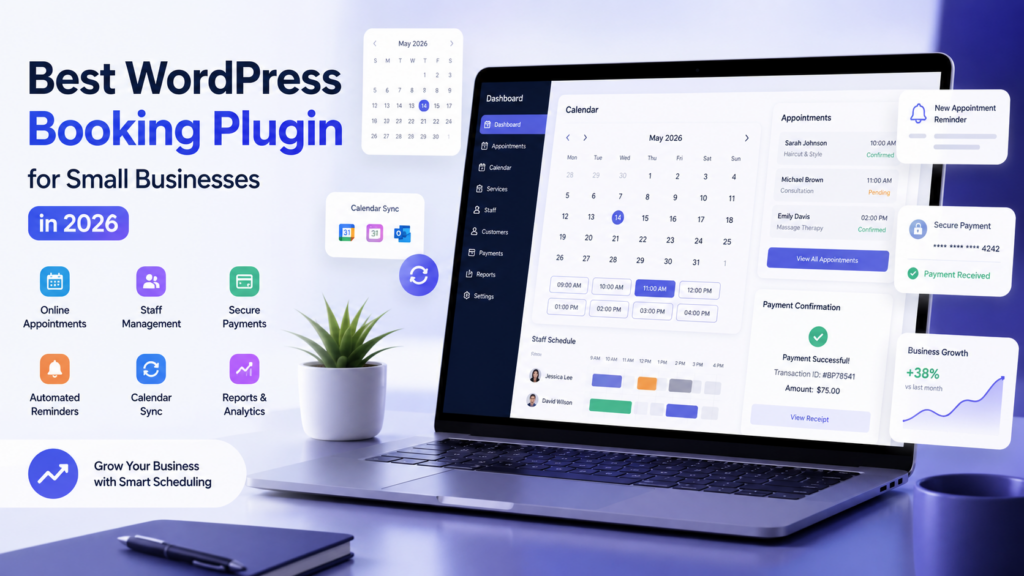
The plugin also provides administrative tools for managing appointments, customers, services, payments, staff schedules and reports.
BookingPress supports popular WordPress page builders including Gutenberg, Elementor and WPBakery, making it suitable for many existing WordPress websites.
Who Can Use BookingPress?
BookingPress isn’t limited to one particular industry.
It can be useful for:
- Beauty salons
- Hair salons
- Spas
- Clinics
- Doctors
- Therapists
- Consultants
- Coaches
- Gyms
- Yoga instructors
- Tutors
- Photographers
- Lawyers
- Cleaning businesses
- Home-service businesses
- Event businesses
- Training companies
- Freelancers
- Agencies
If your business sells time-based services or appointments, a booking system can potentially make your website much more useful.
Why Use an Online Booking System?
Before looking at individual features, it is worth understanding why appointment scheduling matters.
1. Customers can book 24/7
Your business doesn’t have to be available every time someone wants to make an appointment.
Customers can check availability and submit bookings online.
2. Reduce manual communication
Instead of repeatedly answering:
“What time is available?”
your booking system can display available slots automatically.
3. Reduce missed appointments
Automated reminders can help customers remember upcoming appointments.
BookingPress supports email, SMS, WhatsApp and Telegram notification options.
4. Accept online payments
Depending on your configuration and plan, customers can pay through supported payment gateways.
BookingPress currently advertises 22+ payment gateways, including options such as Stripe, PayPal and Razorpay.
5. Manage everything from WordPress
You don’t necessarily need a separate booking website.
Your appointments, customers, services and scheduling workflow can remain connected to your WordPress website.
Key BookingPress Features
1. Online Appointment Scheduling
The core feature is straightforward: customers can book available appointments directly from your website.
You can configure services, duration, schedules and availability according to your business requirements.
BookingPress also supports unlimited services and bookings according to its feature documentation.
2. Staff Management
Businesses with multiple employees often need more than a simple calendar.
For example, a salon may have five stylists, while a clinic may have several doctors.
BookingPress provides staff-management functionality so businesses can manage staff schedules and availability.
This can make the booking process much more practical for growing teams.
3. Customizable Booking Forms
Your booking form doesn’t necessarily have to look like a generic third-party form.
BookingPress provides customization options for the booking form, including layout, colors, typography and fields.
This is especially useful if you want the booking experience to match your existing website design.
4. Online Payments and Deposits
Payment collection can be an important part of appointment scheduling.
BookingPress supports multiple payment gateways and options such as deposits and partial payments.
Its current feature list includes Stripe, PayPal, Razorpay, Mollie, Square, WooCommerce and several other payment options.
For businesses dealing with expensive appointments or services, collecting a deposit can also help reduce last-minute cancellations.
5. Google, Apple and Outlook Calendar Integration
Calendar synchronization is another useful feature.
BookingPress supports integrations with:
- Google Calendar
- Apple Calendar/iCal
- Outlook Calendar
The official documentation describes Google Calendar synchronization and two-way Outlook synchronization to help keep availability updated and avoid scheduling conflicts.
6. Automated Notifications
A good booking system shouldn’t require you to manually remind every customer.
BookingPress supports automated communication through email, SMS, WhatsApp and Telegram, depending on configuration and available integrations.
This can be useful for:
- Booking confirmations
- Appointment reminders
- Staff notifications
- Follow-ups
- Rebooking messages
7. Recurring Appointments
Some businesses don’t sell one-time appointments.
Examples include:
- Weekly yoga classes
- Monthly consultations
- Regular cleaning services
- Therapy sessions
- Training programs
BookingPress supports recurring appointments and service packages in its Professional and Enterprise plans.
8. Multiple Locations
If your business has more than one branch, managing appointments can become complicated.
BookingPress’s Professional and Enterprise plans include multi-location booking capabilities, allowing businesses to manage different locations, services and staff.
9. Reports and Analytics
A booking system should ideally do more than collect appointments.
BookingPress includes reporting features that allow businesses to analyze bookings, revenue and other appointment-related information.
This can help business owners answer questions such as:
- Which service is most popular?
- Which staff member receives the most bookings?
- How much revenue was generated?
- Are cancellations increasing?
- Which period performs best?
10. Automation and Integrations
For businesses that use multiple tools, integrations can make the booking workflow much more powerful.
BookingPress currently lists integrations with tools and platforms including:
- Zapier
- Make
- n8n
- Zoom
- Microsoft Teams
- Mailchimp
- FluentCRM
- AWeber
- WooCommerce
- Google Calendar
- Outlook
- Apple Calendar
It also offers a REST API add-on on its Enterprise plan.
BookingPress Pricing in 2026
One of the biggest questions when selecting a WordPress booking plugin is pricing.
According to the current official pricing page, BookingPress offers a free version and several premium plans.
| Plan | Annual Price | Websites | Key Highlights |
|---|---|---|---|
| Free | $0 | Unlimited | Basic booking system, unlimited appointments/services, customizable form, PayPal |
| Standard | $79/year | 1 | Staff management, 22+ payment gateways, 45+ premium add-ons, reminders |
| Professional | $129/year | Up to 3 | 60+ add-ons, multi-location, recurring appointments, packages |
| Enterprise | $229/year | Up to 20 | REST API, roles & capabilities, Stripe POS, priority support |
The pricing page also lists lifetime purchase options, currently starting at $229 for Standard, $379 for Professional and $599 for Enterprise. Pricing can change, so check the official pricing page before purchasing.
One particularly interesting part of the pricing model is that BookingPress says its premium add-ons are included rather than requiring separate purchases for individual features.
BookingPress vs the Best WordPress Booking Plugins
When you’re searching for the best WordPress booking plugin, BookingPress is not the only option available. Other popular appointment booking solutions include Bookly, Amelia and Booknetic, so comparing features, pricing and the overall booking experience is important before making a decision.
There are many appointment plugins available for WordPress, so how does BookingPress compare?
The table below provides a high-level comparison based on the current BookingPress feature/pricing information and the plugin’s own published comparison. Competitor pricing and feature availability can change, so always verify current details before purchasing.
| Feature | BookingPress | Bookly | Amelia | Booknetic |
| Free version | ✓ | ✓ | ✓ | — |
| Unlimited bookings | ✓ | ✓ | ✓ | ✓ |
| Booking wizard | ✓ | ✓ | ✓ | ✓ |
| Staff management | ✓ | ✓ | ✓ | ✓ |
| Recurring appointments | ✓ | Add-on | Pro | Add-on |
| Multiple locations | ✓ | — | Higher tier | Add-on |
| Online payments | ✓ | ✓ | ✓ | ✓ |
| 20+ payment gateways | ✓ | — | — | — |
| WhatsApp notifications | ✓ | Add-on | Pro | Add-on |
| Google Calendar | ✓ | Add-on | ✓ | Add-on |
| Outlook Calendar | ✓ | — | Pro | Add-on |
| Zoom | ✓ | Add-on | ✓ | Add-on |
| Zapier/automation | ✓ | — | Pro | Add-on |
| Migration tools | ✓ | — | — | — |
| Premium add-ons included | ✓ | — | Tiered | — |
The important difference isn’t simply the number of features. The pricing model matters too.
BookingPress currently promotes a model where many advanced capabilities are included in the premium plans instead of requiring customers to purchase individual add-ons.
BookingPress Free vs Premium
If you’re just getting started, you don’t necessarily need to purchase a premium license immediately.
The free version can be useful for testing the basic booking workflow.
According to the official pricing page, the Free plan includes:
- Unlimited websites
- Unlimited appointments and services
- Customizable booking form
- PayPal payments
Premium plans add functionality such as staff management, additional payment gateways, reminders, premium add-ons, recurring appointments and multi-location features.
My recommendation
Start with the free version if you’re unsure.
Set up your services and booking form.
Test the customer experience.
If you need advanced features, then consider upgrading.
This is a better approach than purchasing a premium plugin before knowing whether it fits your workflow.
How to Set Up BookingPress on WordPress
Getting started is relatively straightforward.
The official quick-start documentation recommends creating at least one service and publishing a booking form on your website.
A typical setup process looks like this:
Step 1: Install BookingPress
Install the BookingPress plugin on your WordPress website.
Step 2: Create Your Services
Add the services customers can book.
For example:
- Consultation — 30 minutes
- Premium Consultation — 60 minutes
- Haircut — 45 minutes
- Website Consultation — 60 minutes
Step 3: Configure Staff
If your business has employees, create staff profiles and configure their working schedules.
Step 4: Configure Availability
Set business hours, breaks, holidays and unavailable periods.
Step 5: Configure Payments
Connect the payment gateway you want customers to use.
Step 6: Customize the Booking Form
Adjust the form fields and styling to match your website.
Step 7: Publish the Booking Form
Add the booking system to your desired WordPress page.
Step 8: Test Everything
Before promoting your booking page, make a test appointment.
Check:
- Booking confirmation
- Email notifications
- Payment
- Calendar synchronization
- Staff availability
- Cancellation/rescheduling workflow
The official documentation says the setup wizard is designed to help users configure the booking system quickly.
Pros and Cons of BookingPress
Pros
✓ Free version available
You can test the plugin before committing to a premium plan.
✓ Large feature set
BookingPress includes scheduling, payments, staff management, notifications, calendars, reporting and automation features.
✓ Multiple payment gateways
The current feature list includes 22+ payment gateways.
✓ Many integrations
Google Calendar, Outlook, Zoom, WhatsApp, Zapier, Make, n8n and other integrations are available.
✓ Useful for multiple industries
It isn’t limited to salons or clinics.
✓ No booking commissions
BookingPress states that it does not take a percentage of bookings.
✓ Advanced features are bundled
The premium model includes a large collection of add-ons rather than requiring separate purchases for every feature.
Cons
✗ The feature set can feel overwhelming
Beginners may need some time to understand all the available options.
✗ Advanced functionality requires premium plans
The free version is useful, but businesses needing staff management, advanced payments, recurring appointments and other features may need a paid plan.
✗ Pricing can change
As with most WordPress plugins, promotional pricing and plan details may change.
✗ Not every business needs such a large feature set
If you only need a simple contact form, a full appointment-management system may be unnecessary.
Is BookingPress Worth It in 2026?
For a business that depends heavily on appointments, BookingPress is worth considering.
Its biggest advantage is that it combines many different parts of appointment management into one WordPress-based system.
Instead of using:
Website + separate booking platform + payment system + reminder service + calendar system
you can build much of the workflow around your WordPress website.
The free version also makes it easier to test the basic system before upgrading.
For small businesses, the Standard plan may be enough.
For businesses with multiple locations, recurring appointments, packages or more advanced scheduling requirements, Professional may make more sense.
Agencies managing multiple client websites may want to examine the Enterprise plan.
Who Should Choose BookingPress?
I would particularly consider BookingPress if you are:
- Running a salon or spa
- Managing a clinic
- Offering consultations
- Running a coaching business
- Managing a gym or yoga studio
- Providing home services
- Offering recurring services
- Managing multiple staff members
- Accepting online payments
- Looking for automated reminders
- Already using WordPress
- Looking for an alternative to an external booking platform
If you only need customers to send you a basic message, however, a contact form may be enough.
The key question is:
Do you need appointment management, or simply contact collection?
If you need actual scheduling, payments, staff availability and reminders, a dedicated booking plugin makes much more sense.
Frequently Asked Questions
Is BookingPress free?
Yes. BookingPress has a free version. The official pricing page currently lists the Free plan at $0 and premium plans starting at $79/year.
Is BookingPress a WordPress plugin?
Yes. BookingPress is designed as a WordPress appointment booking and scheduling plugin.
Can BookingPress accept online payments?
Yes. BookingPress currently supports 22+ payment gateways, including payment options such as Stripe, PayPal and Razorpay.
Does BookingPress support Google Calendar?
Yes. BookingPress supports Google Calendar integration, along with Apple Calendar/iCal and Outlook Calendar.
Can I use BookingPress for multiple staff members?
Yes. Staff management is available in the premium plans, with more advanced multi-staff functionality available in higher plans.
Can BookingPress send appointment reminders?
Yes. BookingPress supports email, SMS and WhatsApp reminders, along with other notification options depending on the configuration.
Does BookingPress support recurring appointments?
Yes. Recurring appointments are included in the Professional and Enterprise plans.
Can BookingPress handle multiple business locations?
Yes. Multi-location booking is available in the Professional and Enterprise plans.
Does BookingPress work with Elementor?
Yes. BookingPress lists support for Elementor, Gutenberg, WPBakery and other WordPress website-building environments.
Does BookingPress charge a commission on bookings?
According to BookingPress, there are no booking commissions charged by the plugin.
Is BookingPress good for small businesses?
It can be a strong option for small service businesses that need online appointments, payments, staff scheduling and reminders. Businesses should compare the available plans with their actual requirements before purchasing.
Final Verdict
Choosing the best WordPress booking plugin depends on what your business actually needs.
If you only need a simple contact form, BookingPress may provide more functionality than necessary.
But if your business relies on appointments and you want customers to book services directly from your WordPress website, BookingPress offers a comprehensive set of scheduling, payment, notification, calendar and automation features.
The availability of a free version is also a major advantage because you can test the basic booking workflow before investing in a premium plan.
For businesses that need advanced functionality, the current premium plans bundle a substantial collection of features and add-ons, which can make the pricing easier to understand than a system where every advanced capability requires another purchase.
Our overall take
BookingPress is worth considering if you want to turn a WordPress website into a complete appointment booking system without relying entirely on a separate booking platform.
If you’re ready to explore it, you can check the current features and pricing below.
🚀 Try BookingPress
Start with the free version if you want to test it first, or explore the premium plans if you need advanced scheduling, payments, staff management and automation.
Affiliate disclosure: This is an affiliate link. RD Dev Labs may receive a commission if you make a purchase through this link, at no additional cost to you.